Start navigating Jira Product Discovery
10 min
By the end of this lesson, you’ll be able to:
- Define ideas, insights, fields, and spaces
- Describe the different views in Jira Product discovery
Explore ideas, insights, and spaces
Discovery spaces are made up of a few key elements to help you stay organized during product discovery.
👇 Click the boxes below to explore the key elements of a Jira Product Discovery space.
Navigate around Jira Product Discovery
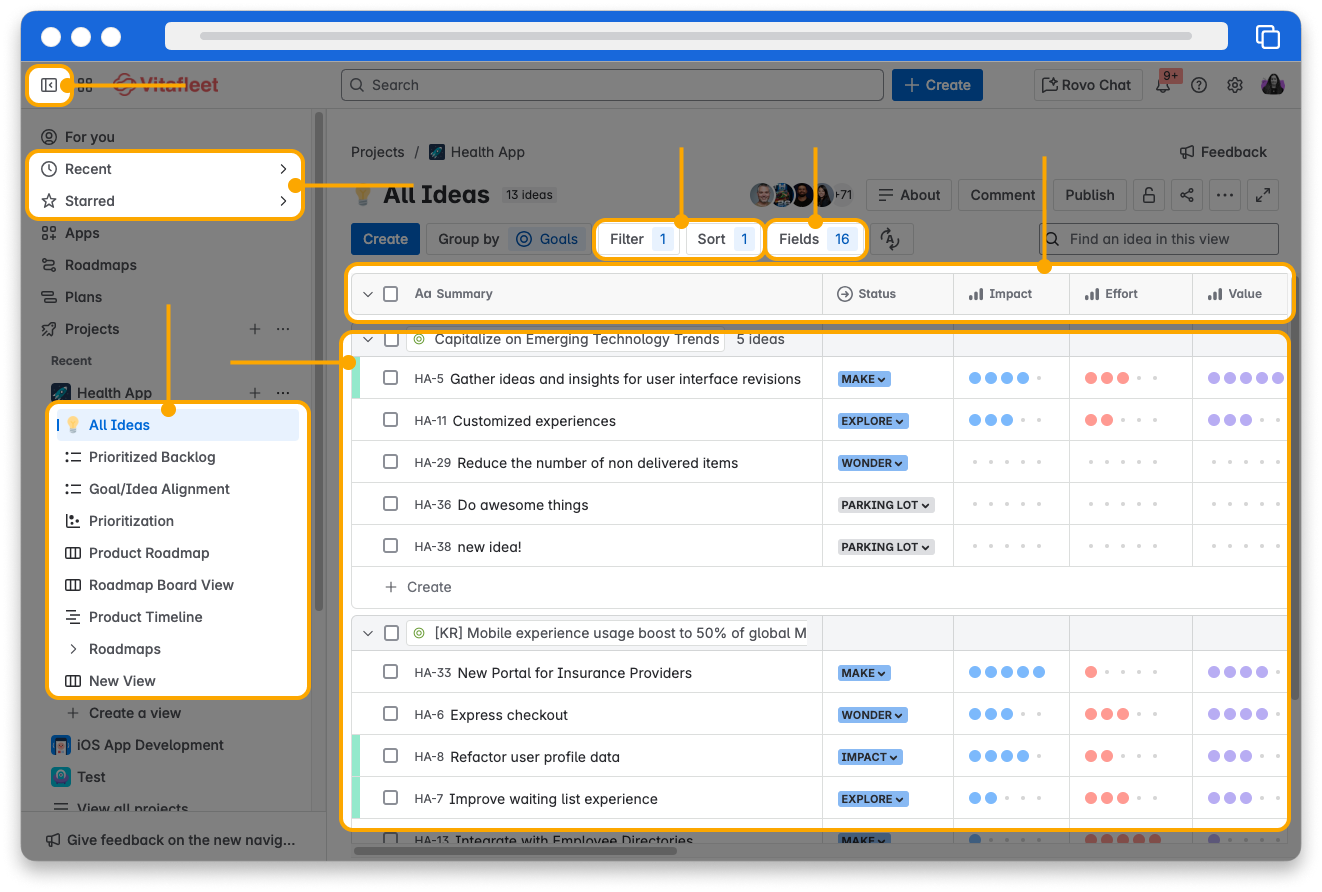
Get started quickly in Jira Product Discovery by exploring the main navigation and key features. With just a few clicks, you can access your ideas, switch between different views, and organize your workspace to fit your team’s needs. Let’s dive in and see how you can move around your space.
👇 Click the icons below to learn more about navigating around your Jira Product Discovery space.
Views in Jira Product Discovery
Views in Jira Product Discovery provide a way to organize and present ideas and tailor the level of detail based on your audience. For your immediate team, you might want to include all details like comments, insights, and due dates. But for leadership, you may want to keep it high-level with a bird's eye view of what’s coming when.
There are four different views in Jira Product Discovery: list, matrix, board, and timeline views.
👇 Click the boxes below to explore the key elements of a Jira Product Discovery space.