Integrate Compass with Atlassian apps
10 min
Intermediate
By the end of this lesson, you’ll be able to:
- Describe the integration process between Compass and Jira
- Differentiate between Compass components and Jira components
- Create a Compass component from within Jira and link it to a specific Jira space
- Navigate between Compass and Jira to view linked components and issues
- Integrate Compass with other Atlassian apps and describe the benefits of these integrations
How to connect Compass to Jira
Jira and Compass automatically integrate when you create both instances within the same site. This seamless and automatic integration enhances your workflow and collaboration, streamlining processes and facilitating efficient teamwork.
Work with Compass components in Compass and Jira
A Compass component is different from a Jira component.
Components in Atlassian apps:
- In Jira, components are used to group work items within a space, typically based on features, teams, or work streams. They help organize spaces and enable features like auto-assignment and reporting.
- A Compass component is the combined output of a software engineering team, typically tracked in a source control system. Within Jira, you can select whether to see Jira components or Compass components.
If you're a long-time Jira user and have used Jira components extensively, you might want to keep your components within Jira as Jira components. If, on the other hand, your organization hasn't used components within Jira, you'll also want to view your Compass components within Jira.
👇 Here's how to create a Compass component within Jira.
1
2
3
4

View Jira work items within Compass
When you access the new component in Compass, you'll notice that it has automatically generated a link to the corresponding Jira space. Additionally, by selecting Work Items within Compass, you can view all the Jira work items associated with that component. Simply click on a work item in Compass, and it will open directly in Jira.
👇 The Compass component automatically generates a link to the Jira space.
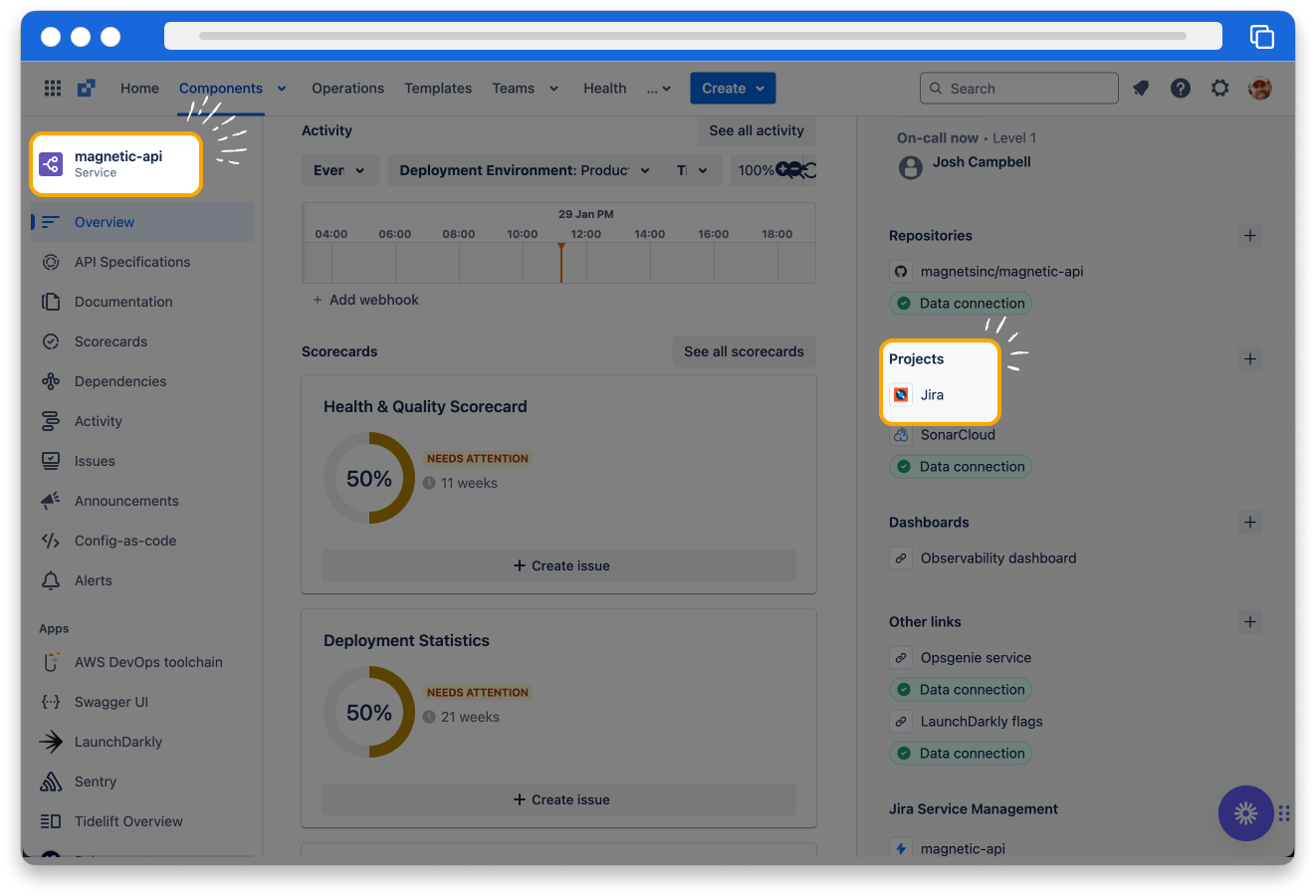
There is not a 1-to-1 relationship between Compass components and Jira work items. A single component can have many work items associated with it. Your team may be working on a component, and each team member has a story for this sprint that contributes to its release.
View Compass components from Jira
If you view a Jira work item within Jira, you can see the Compass component to which it is linked.
👇 Here's the view of a component in a Jira work item.

Integrate with other Atlassian apps
If you have access to other Atlassian apps within your site, you can link to many of them within Compass. You then have links to the apps within your Compass components or use information from them to display in your scorecards and metrics.
👇Click to view other Atlassian apps you can link Compass to.
- Link to the repo containing the code for the component.
- You can also obtain information from the repo.
👉 For example: you can display the build time or the number of pull requests in metrics.
How was this lesson?
next lesson
Manage component ownership using Atlassian teams in Compass
- What are Atlassian teams?
- Use Atlassian teams in Compass